


Filing taxes in Canada doesn’t have to feel like decoding a foreign language. Yet every year, millions of people put it off because they’re unsure where to start, which method to choose, or what the CRA actually expects from them.
If you’ve ever asked yourself how to file taxes in Canada without making mistakes or missing deadlines, you’re in the right place.
Whether you’re a salaried employee filing online in 20 minutes, a self-employed professional juggling multiple slips, or someone who still prefers paper filing, this guide walks you through every option clearly and calmly.
Choose how you’ll file your T1 return (NETFILE vs SimpleFile vs Paper vs EFILE)
Before you do anything else, you need to choose how you’re going to file your T1 return. Canada gives you four main options, and the right one depends on your situation, not on what your friend uses.
Tax software + NETFILE (who it’s for and why it’s the fastest path)
For most Canadians, this is the easiest and fastest way to file taxes in Canada.
You use CRA NETFILE-certified tax software and submit your return electronically to the Canada Revenue Agency. According to the CRA, NETFILE allows individuals to send their tax return directly through approved software, with faster processing and fewer errors compared to paper filing.
NETFILE is ideal if you:
- Are an employee or pensioner
- Have straightforward investment income
- Want faster refunds
- Prefer guided, step-by-step prompts
Once submitted, you usually receive confirmation instantly and your Notice of Assessment within days. Refunds often arrive in under two weeks when direct deposit is set up.
What is SimpleFile and who gets invited?
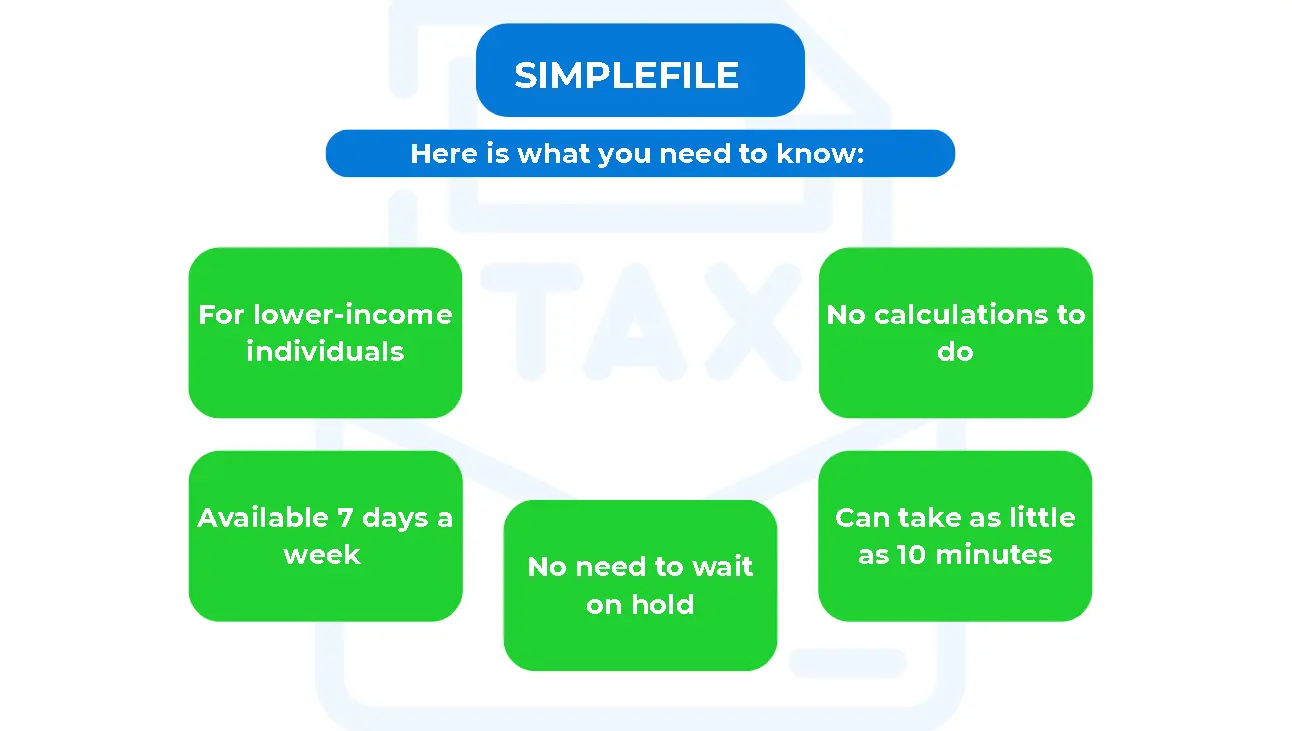
SimpleFile is a CRA program designed for people with very simple tax situations. The important thing to know is that you cannot apply for it.
The CRA sends invitations to eligible taxpayers, typically those with low or fixed income and little year-to-year change. Filing may be done by phone, digitally, or using a short paper form. The CRA explains that SimpleFile is invitation-only and intended to remove barriers for eligible Canadians.
Source: https://www.canada.ca/en/revenue-agency/campaigns/file-my-return.html
If you receive an invitation, it’s one of the simplest ways to file taxes in Canada. If not, NETFILE or professional filing is your next step.
Paper filing (when it’s still necessary or practical)
Paper filing still exists, even in 2026.
It may be required if you’re:
- Filing for a deceased person
- In bankruptcy
- Restricted from NETFILE due to specific CRA rules
While paper filing is valid, the CRA consistently notes that paper returns take much longer to process, and refunds are delayed compared to electronic filing
(Canada Revenue Agency, 2025).
When should you use a professional preparer (EFILE)?
EFILE is used exclusively by authorized tax professionals.
It’s often the right choice if you’re self-employed, have foreign income, received CRA correspondence, or have a more complex tax profile. A professional can file electronically on your behalf while managing compliance and follow-ups.
Tax deadlines in Canada (filing vs payment deadlines)
Deadlines matter more than most people expect, especially when money is owed.
Filing deadlines for 2025 taxes
For the 2025 tax year:
- April 30, 2026 for most individuals
- June 15, 2026 if you or your spouse is self-employed
The CRA publishes these deadlines annually and emphasizes that filing late can result in penalties and interest
“I’m self-employed. Why do I still pay by April 30?”
This is one of the most common points of confusion.
Even though self-employed individuals can file by June 15, any balance owing must still be paid by April 30. Interest begins accruing on May 1, regardless of when the return is filed. Filing later does not delay payment obligations.
RRSP contribution deadline
RRSP contributions made within the first 60 days of the year can be applied to the previous tax year. This deadline is part of the CRA’s RRSP contribution rules and plays a major role in tax planning during filing season.
Step-by-step: filing online with NETFILE-certified tax software
If you’re filing online, this is what the process looks like in real life.
Before you start: CRA account and setup
Make sure you have:
- Access to CRA My Account
- Direct deposit enabled
- Your address and communication preferences updated
This helps prevent delays and ensures your refund goes where it should.
Auto-fill My Return: what it pulls and what it won’t
Auto-fill My Return imports data the CRA already has on file, such as T4s, T5s, RRSP slips, and tuition forms. The CRA notes that this tool reduces errors but does not replace reviewing your return carefully.
It will not include:
- Cash income
- Side hustle earnings
- Foreign income
- Missing or late slips
Always double-check.
NETFILE access code
Your NETFILE access code is usually found on your previous Notice of Assessment. While optional, it helps with identity verification. First-time filers can still NETFILE without it.
Report income and handle missing slips
Most slips are available by mid-March. If something is missing, check CRA My Account or contact the issuer. Estimating income may be necessary, but omitting income entirely is a common trigger for CRA follow-up.
Review, submit, and what happens next
Once submitted, you receive confirmation immediately. The CRA reviews your return and issues a Notice of Assessment, often within days for electronic filings.
NETFILE eligibility and restrictions (who can’t use it)
Not everyone can NETFILE, and knowing early saves frustration.
Basic eligibility rules
You typically need a valid SIN or temporary tax number. According to the CRA, some newcomers with SINs starting with 0 may NETFILE after their first assessed return.
Common restriction categories
NETFILE is not available for:
- Deceased taxpayers
- Bankruptcy returns
- Certain complex elections or claims
Tax software will usually flag restrictions automatically.
How to file by paper (T1 package) and where to mail your return
Paper filing requires patience and precision.
Get the T1 tax package and complete it
You can download or request the T1 package from the CRA. Complete all sections carefully, attach all slips, and sign before mailing.
Where to mail paper returns
Paper returns are mailed to specific CRA tax centres based on province and return type. For Ontario residents, returns are commonly routed to the Kitchener or Waterloo tax centres. The CRA advises confirming the correct mailing address before sending.
Processing times: e-file vs paper
The CRA consistently states that:
- Electronic returns are processed in about 8 to 14 days
- Paper returns can take 8 weeks or longer
This is one of the biggest reasons most Canadians now file online
(Canada Revenue Agency, 2025).
After you file: Notice of Assessment, refunds, payments, and changes
Filing isn’t the finish line.
When will I get my refund?
With direct deposit and electronic filing, refunds often arrive within two weeks. Paper filers wait significantly longer.
NOA and NOR: where to find them?
Your Notice of Assessment or Reassessment is available through CRA My Account and within your tax software.
Need to fix a mistake after filing?
Corrections can be made through CRA My Account, ReFILE, or by responding directly to CRA correspondence. Acting early keeps things simple.
When it’s worth hiring a tax professional (and what we do for you)
DIY works until complexity enters the picture.
Situations where DIY breaks down
Professional help is often worth it if you have:
- Self-employment or rental income
- Foreign income or assets
- CRA review or reassessment letters
- Multiple slips or prior-year issues
Our Acctax filing workflow
At Acctax, we review your full tax picture, identify overlooked deductions, file accurately, and support you if the CRA has questions later.
If you’re unsure how to file taxes in Canada for your situation, getting it done right the first time is usually the least stressful and most cost-effective option.